How Freelance Developers Create and Send Professional Invoices Fast

#1Freelance invoicing for developers who want to get paid on time
What we tested: We validated environment files, Docker configurations, and CI pipeline syntax using the browser-based tools on this site. All parsing and validation runs locally.
Invoicing is the handoff between finishing work and getting paid.
The important part is not making it fancy. It is making it clear enough that the client can approve it quickly and pay without asking follow-up questions.
#2What Every Professional Invoice Must Contain
An invoice that gets paid promptly and without back-and-forth includes all of the following. Missing any one of them is the usual cause of a delayed payment or a client query.
| Section | What it includes | Why it matters |
|---|---|---|
| Invoice identifiers | Unique invoice number, issue date, due date | The number is how both sides reference the invoice; the due date sets the payment clock |
| Your details | Name / business name, address, contact, tax ID | Required for the client's records and their own tax filing |
| Client details | Their name, business, address | Makes the invoice legally theirs and routable to their accounts payable |
| Itemized work | Each service, quantity/hours, rate, line total | Specificity prevents disputes, "Development: $1,920" invites questions "40h backend API work @ $48/h" does not |
| Tax | GST / VAT / sales tax, correctly calculated | Getting this wrong is the #1 cause of rejected invoices |
| Totals | Subtotal, discounts, tax, grand total | The number that actually gets paid must be unambiguous |
| Payment terms | How to pay, by when, late-fee policy | Tells the client exactly how to settle and by when |
The theme across all of these is specificity removes friction. Every vague field is a reason for the client's accounts team to email you a question instead of paying, and every question adds days.
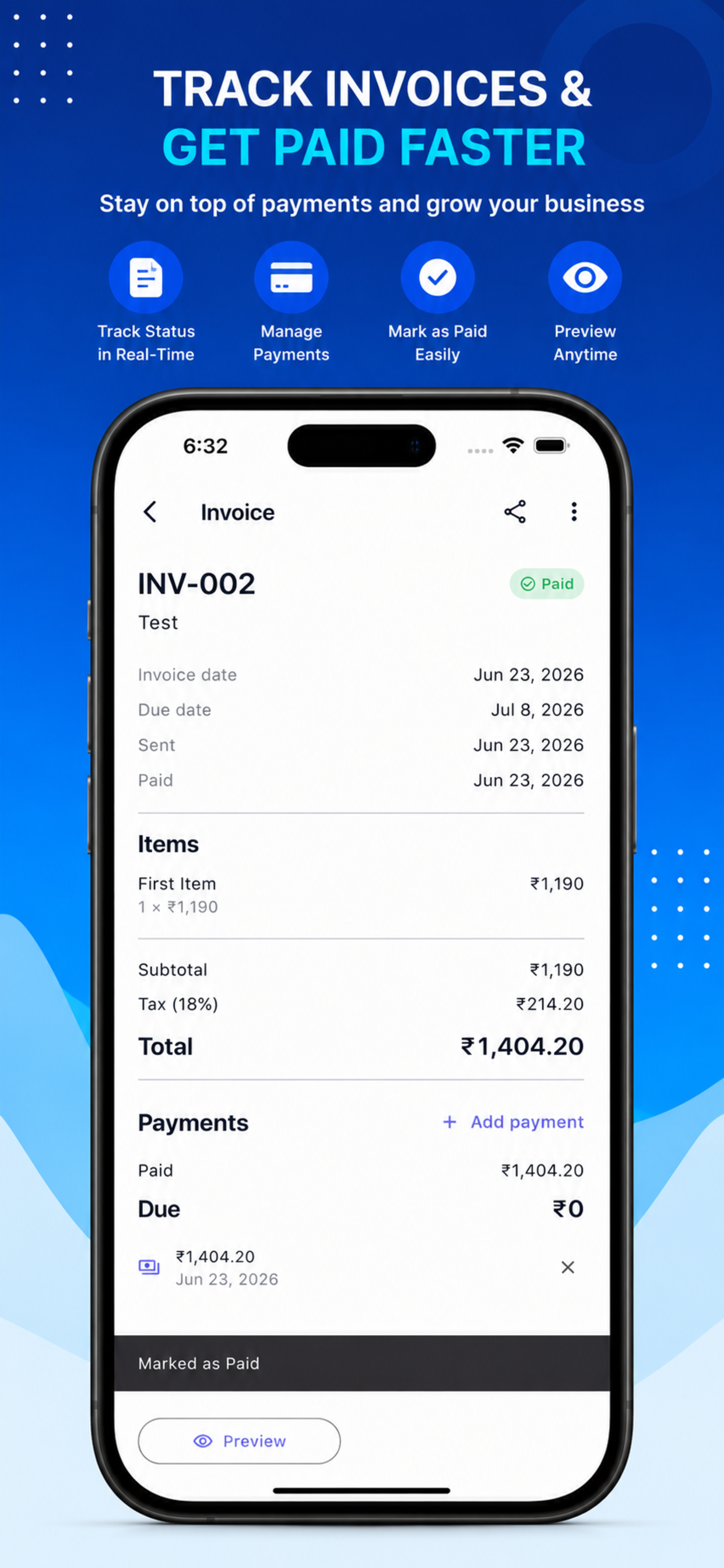
A clean, itemized invoice like this one leaves nothing ambiguous, each line shows the work, the rate, and the line total, with tax and grand total broken out clearly.
#2Why Not Just Use a Spreadsheet?
Plenty of freelancers start with a spreadsheet template, and for the first few invoices it works. It stops scaling for predictable reasons:
- Tax math drifts. A hand-built formula for GST or VAT is one accidental edit away from being wrong on every future invoice, and you may not notice until a client does.
- No client memory. You retype the same customer's details every time, and a typo in an address or tax ID can invalidate the document.
- Formatting rot. Copying last month's file, forgetting to bump the invoice number, leaving a previous client's name in a cell, these small errors read as unprofessional.
- Not mobile. You finished the work on-site, but the invoice waits until you're back at a spreadsheet. Late invoice, late payment.
A purpose-built invoice maker fixes each of these: tax is applied automatically, client details are saved and reused, the template stays consistent, and the invoice number increments on its own.
#2Handling Tax, Discounts, and Multiple Currencies
Three areas cause the most invoicing pain for developers working with clients across regions:
Tax (GST / VAT / sales tax). The rate and label depend on your jurisdiction and sometimes your client's. The safe approach is a tool that applies the correct tax automatically to the subtotal rather than you computing it by hand each time, InvoiceFlow applies GST, VAT, and discounts automatically so the math is right every time.
Discounts. A discount must be shown as a distinct line affecting the subtotal before tax (in most jurisdictions), not silently baked into a rate. Transparency here prevents both disputes and tax errors.
Multiple currencies. If you bill a US client in USD and a European one in EUR, each invoice should be denominated clearly in the client's currency. A tool with multi-currency support saves you maintaining separate templates per currency.
#2From Finished Work to Sent Invoice in Under a Minute
The reason mobile invoicing matters is timing: the sooner an invoice goes out, the sooner it gets paid. A good mobile invoice maker compresses the whole process to three steps.
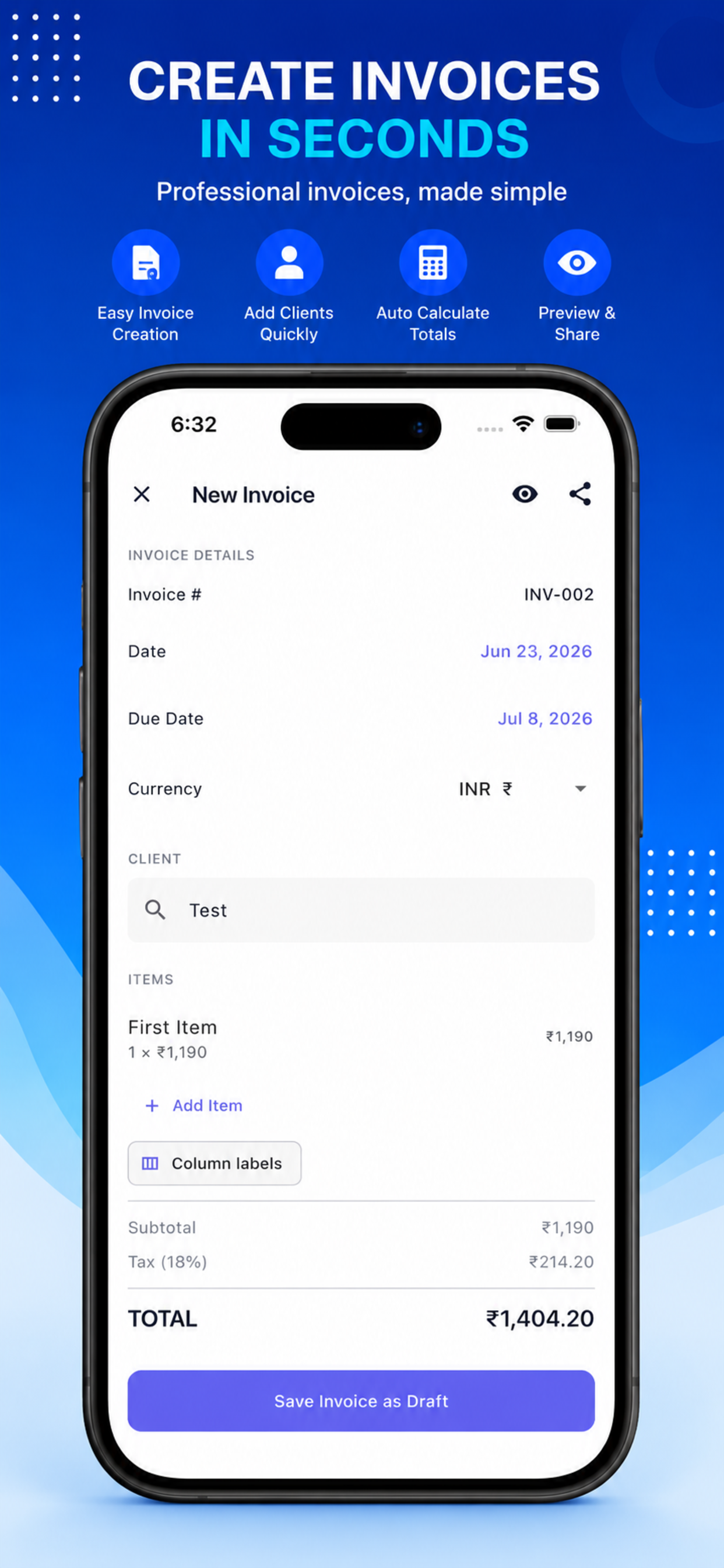
- Create. Pick a saved client (or add a new one once), choose a template, and add your line items, hours, rate, description. Tax and totals calculate automatically.
- Export. Generate a high-quality PDF. The PDF format matters because it renders identically everywhere and can't be accidentally edited by the recipient.
- Send. Share it directly, email, WhatsApp, or a cloud drive, straight from the app.
Done from a phone, this is a sub-minute task you can complete the moment work wraps, on-site, instead of deferring it to your next desk session. InvoiceFlow is built around exactly this three-step flow, create, export PDF, send, and requires no account to start, so there's no signup friction between you and your first invoice.
#2Track What's Been Paid
Creating invoices is only half of getting paid, the other half is knowing which ones are outstanding. A running invoice history with a paid/unpaid status at a glance is what turns "I think that client paid?" into a definite answer, and tells you exactly who needs a follow-up. Payment tracking, invoice history, and reusable client records are the features that separate a real invoicing tool from a document generator. Offline access matters too: you can draft and review invoices without a connection and they sync when you're back online.
#2Related Tools on This Site
Invoicing sits alongside a few other document tasks freelancers handle constantly. Once you've exported an invoice PDF, these browser tools help with the rest:
- PDF Compressor, shrink an invoice or a batch of receipts before emailing or archiving.
- PDF Merger, combine an invoice with a timesheet or contract into one packet.
- PDF Watermark, mark a quote as DRAFT or a document as PAID.
- Images to PDF, turn photographed receipts into a clean PDF to attach.
#2Frequently Asked Questions
#3What information must a freelance invoice include to look professional?
A professional invoice needs seven things: a unique invoice number and issue/due dates; your name or business name, address, contact, and tax ID; the client's name and address; itemized line items showing each service, the hours or quantity, the rate, and the line total; correctly calculated tax (GST, VAT, or sales tax); a clear breakdown of subtotal, discounts, tax, and grand total; and payment terms stating how and by when to pay. The most common cause of a delayed payment is vagueness, an itemized "40h backend API work @ $48/h" gets paid faster than a lump "Development: $1,920" because it leaves nothing for the client's accounts team to question. A tool like InvoiceFlow includes these fields by default so you don't forget any.
#3How do I handle GST or VAT on an invoice correctly?
The safest approach is to let a purpose-built invoice tool apply the tax automatically to your subtotal rather than calculating it by hand, because a manual tax formula is easy to get wrong once and then repeat on every future invoice. The correct order in most jurisdictions is: sum the line items into a subtotal, subtract any discount, then apply the tax rate to that discounted subtotal, and show each step as a separate line so the client can see how the total was reached. The exact rate and label (GST, VAT, or sales tax) depend on your jurisdiction and sometimes the client's. InvoiceFlow applies GST, VAT, and discounts automatically, which removes the most common source of rejected invoices.
#3Can I create and send an invoice from my phone?
Yes, a mobile invoice maker turns the whole process into a sub-minute task you can do the moment work finishes, which is the single best way to get paid sooner. The flow is three steps: create the invoice by selecting a saved client and adding line items (with tax and totals calculated automatically), export it as a PDF, and share it directly by email, WhatsApp, or a cloud drive. InvoiceFlow is built around exactly this create-export-send flow and needs no account to get started, so there's no signup step between finishing your work and sending the bill. Doing it on-site the moment work wraps beats deferring it to your next desk session.
#3Why should I use a PDF for invoices instead of a spreadsheet or doc?
PDF is the right format for a finished invoice because it renders identically on every device and can't be accidentally (or deliberately) edited by the recipient, which protects the integrity of the amount owed and the terms. A spreadsheet or word document can reflow or change depending on the software that opens it, and it invites edits. Spreadsheets are also error-prone as a source: hand-built tax formulas drift, invoice numbers get forgotten, and previous clients' details linger in copied files. The better pattern is to generate the invoice from a template-driven tool and export a clean PDF, and if you need to bundle it with a timesheet or compress a batch before sending, the PDF Merger and PDF Compressor handle that.
#3How do I keep track of which invoices have been paid?
Use a tool that maintains an invoice history with a paid/unpaid status on each entry, so you can see at a glance what's outstanding and who needs a reminder, rather than reconstructing it from your bank statement or memory. This is the feature that separates a genuine invoicing app from a one-off document generator: reusable client records mean you're not retyping details, and payment tracking means "did that client pay?" has a definite answer. InvoiceFlow includes payment tracking, invoice history, and saved client management, plus offline access so you can review invoices without a connection and have them sync later.
Getting paid on time starts with getting the invoice right and getting it out fast. Include every required field, let a tool handle the tax math and the invoice numbering, export a clean PDF, and send it the moment the work is done rather than the next time you're at a desk.
For creating and sending professional PDF invoices straight from your phone, templates, automatic GST/VAT, multi-currency, payment tracking, and no account required, InvoiceFlow covers the whole flow. Pair it with this site's PDF Compressor and PDF Merger for the document work around it.
Written by Rahul Jalavadiya, founder of AllDevToolsHub. All tools run locally in your browser.
#2Sources / Further reading
Quick Summary
>- A no-nonsense invoicing guide for freelancers and independent developers: what every professional invoice must contain, how to handle GST/VAT and discounts, multi-currency and payment tracking, and how to go from finished work to a sent PDF invoice in under a minute using a mobile invoice maker — no spreadsheet wrangling, no account required.
Tools Mentioned in This Article
Images to PDF
Assemble a collection of images into a single professional PDF document.
Markdown to PDF Converter
Write Markdown and instantly generate a beautifully styled PDF.
PDF Compressor
Optimize PDF documents client-side using object streaming.
PDF Merger
Combine multiple PDF documents into a single file safely.
Tools, tactics, and toughened-up tips, once a week
New tools, deep-dives on developer workflows, and the occasional gem we found this week. No spam, no tracking. Unsubscribe anytime.
Found an error or have feedback?
We correct errors quickly and document changes in our changelog. Report issues at support@alldevtoolshub.com.